Required equipment
- Abrites AVDI interface connected over OBDII
- Abrites Diagnostics for Subaru software
- Ignition ON
Step-by-step procedure
1. Scan the vehicle
When clicking the scan button the software will begin scanning the vehicle.
2. Review the results
Once the scan is complete the electronic control modules in the vehicle will be displayed together with the diagnostic trouble codes. You can then enter each module for detailed information about the unit and the DTCs.
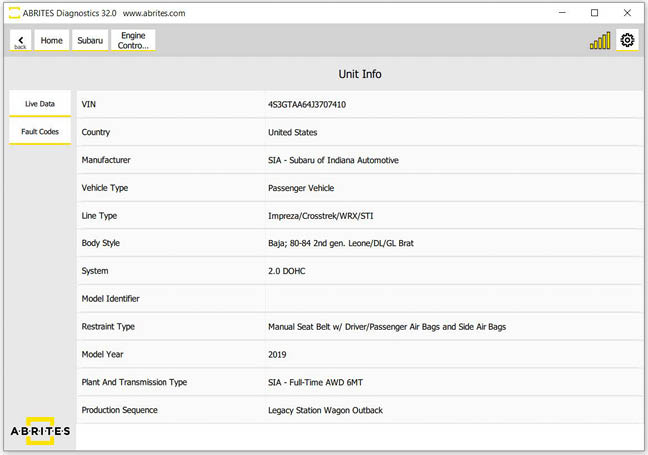
3. Read the fault codes
By clicking the "Fault codes" button you will be able to see the present fault codes for the vehicle and the details related to them.
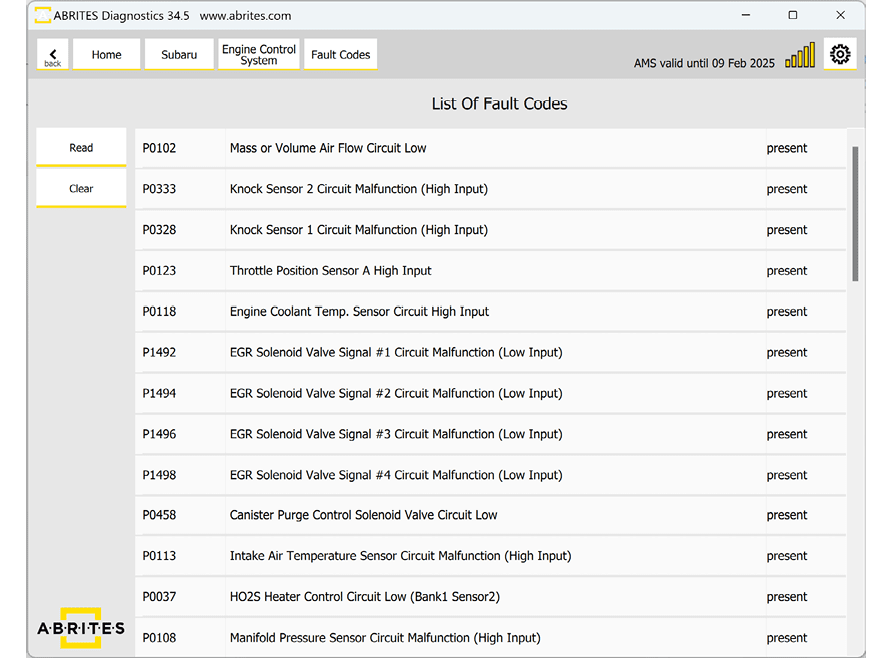
4. Clear the fault codes
By clicking on "Clear" the fault codes will be deleted.
Important notes
- Clear only after the repair. A code that returns immediately is a live fault, not a clearing failure.
- Entering a module gives detail the summary list does not - use it before deciding a code is spurious.
Troubleshooting
| Issue | Likely cause | Solution |
|---|---|---|
| The scan finds no modules | AVDI not connected, ignition off, or no Internet | Check the OBDII connection, switch the ignition on, confirm the software is online |
| Codes reappear after clearing | The fault is still present | Diagnose and repair the fault, then clear again |