Once the Abrites diagnostics for Subaru software is selected the user will see the following screen:
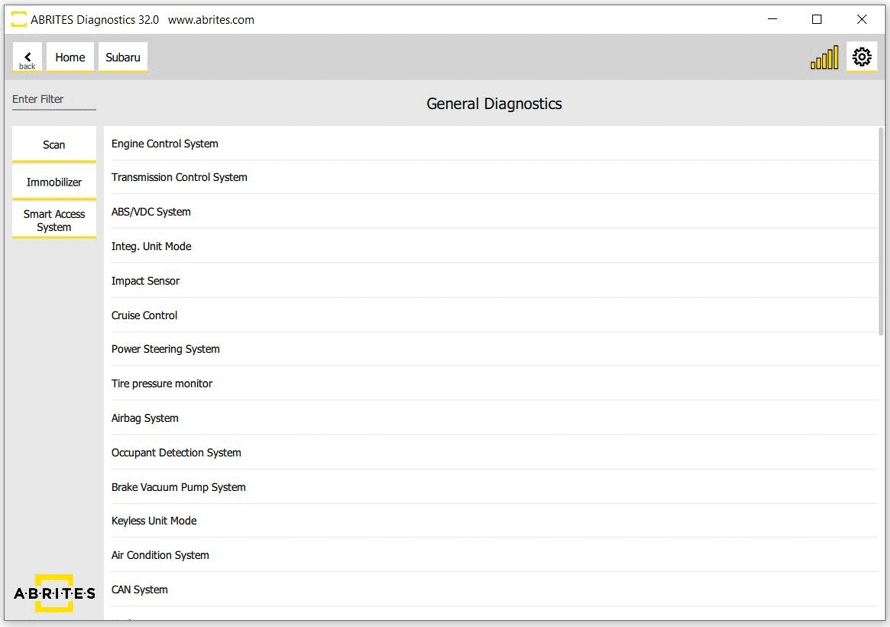
In this screen the user will be able to scan all the modules available for the vehicle that is being tested. Once the modules are tested the user will see the installed electronic modules.
Required equipment
- Abrites AVDI interface connected to the vehicle OBDII socket
- Abrites Diagnostics for Subaru software with an active Internet connection
- Ignition ON
What you can do from here
| Function | Page |
|---|---|
| Read and clear diagnostic trouble codes | 3.1 Reading and clearing diagnostic trouble codes |
| Monitor live sensor values | 3.2 Live data display |
| Program keys | 4. Key learning |
| DPF regeneration, injector coding | 7. Service Functionalities |
Important notes
- Scan first. The module list is what every other function works from; until the scan completes the software does not know what is fitted.
- The modules shown vary with the vehicle's specification - a module absent from the list is not necessarily faulty.