Vehicle coverage: Toyota, Lexus and Scion Classic CAN-based airbag modules from 2020 onwards. CAN-FD protocol is not supported yet.,
Supported operation:
Reading the Dflash of a 2020+ airbag module, clearing the stored crash data, and writing the file back to the unit. This is the route to returning a deployed-and-repaired module to service instead of replacing it.
Step‑by‑step procedure
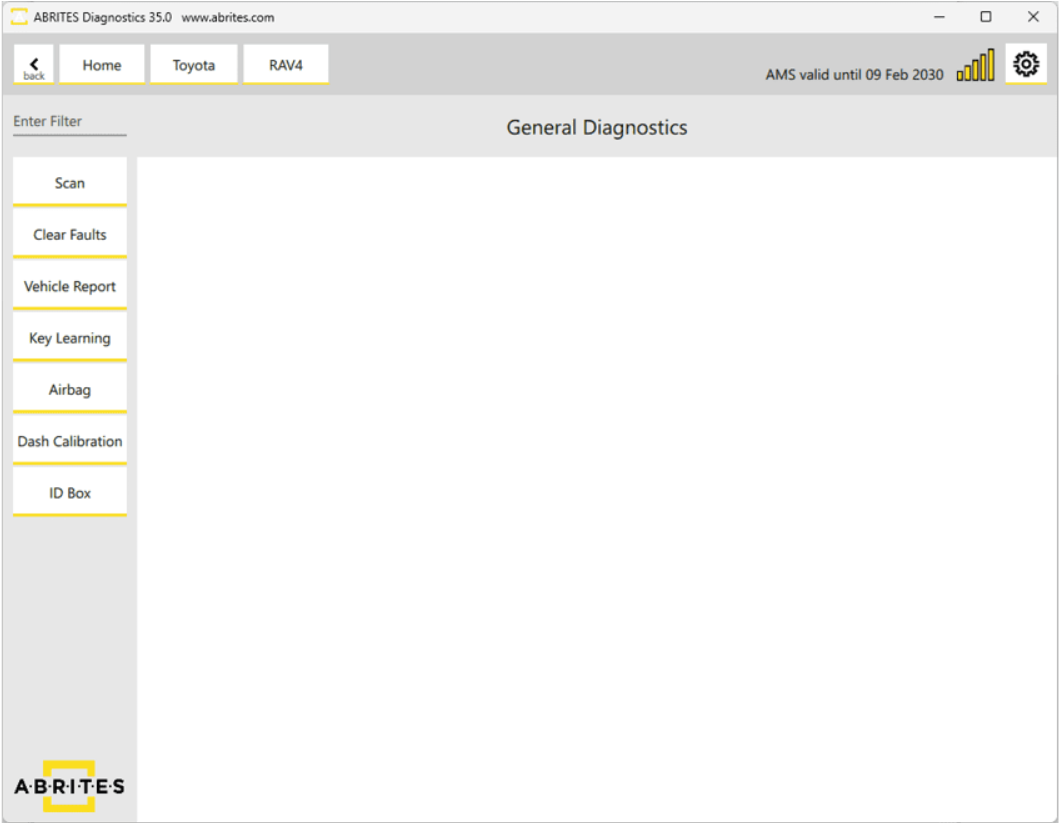
1. Open the Airbag menu
From the main screen of the Toyota Online software, press the "Airbag" button on the left-hand side. This opens the airbag menu and its functionality.
2. Read the Dflash
Use the read button to pull the Dflash from the airbag module. Keep this file — it is your fallback if anything goes wrong.
3. Clear the crash data
Use the clear function to remove the stored crash data from the file.
4. Write the file back
Write the cleared file back to the unit.br>
Important notes
- This functionality applies to airbag modules 2020+. Older modules are not covered by it.
- Always keep the original Dflash read in step 2 before making any change.
- Keep the power supply stable for the whole read/write cycle.
- Clearing crash data does not repair physical damage. The airbag system must be properly inspected and any deployed components replaced before the vehicle is returned to the road.
Troubleshooting
| Issue | Likely cause | Solution |
|---|---|---|
| "Airbag" button not present | Software not up to date | Update to the latest Toyota Online software build |
| Module does not respond | Module older than 2020, or the communication protocol is CAN-FD | Confirm the module is a 2020+ type; check the CAN transiver chip of the AIRBAG module |
| Write fails after clearing | Power interruption or lost connection | Re-establish the connection and write the saved file back to the unit |
| Crash data still present after write | The written file was the original, not the cleared one | Re-check which file was selected for writing |