The ID-Code-Box reset procedure needs an internal LIN-BUS connection. Use the CB012 cable (mandatory) and the CB031 cable (recommended) for this purpose.
Required equipment
- Abrites AVDI interface
- Abrites OBDII cable (SAE J1962) – CB106
- Abrites CB012 cable – mandatory
- Abrites CB031 cable – recommended
- A needle pinch, only if working without the CB031
Step‑by‑step connection
1. Chain the cables
Connect the CB012 between the AVDI and the CB106. The red connector of the CB012 goes to the green connector of the CB031.
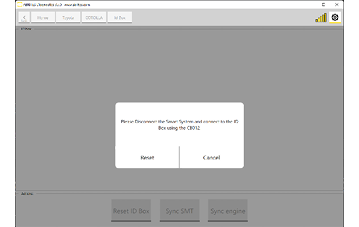
2. Disconnect the Smart System
Disconnect the Smart System (SMT) before going any further.
3. Connect to the smart system harness
Connect the CB031 to the wiring-installation connector that normally plugs into the smart system.
If a CB031 is not available: connect the red cable of the CB012 with a needle pinch to the wire running to PIN 8 (LIN) of the Smart System Module (SMT).
Important notes
- Make sure the SMT is disconnected, and do not connect the other side of the CB031 to the SMT. The connection is made to the vehicle harness, not to the module.
- The CB012 is mandatory — the procedure cannot be performed over OBDII alone.
- With the connection in place, continue to the ID Code Box Reset Procedure.
Troubleshooting
| Issue | Likely cause | Solution |
|---|---|---|
| No LIN communication | CB031 connected to the module instead of the harness | Disconnect the SMT and connect CB031 to the harness connector only |
| No response at all | CB012 not chained between AVDI and CB106 | Re-check the cable order: AVDI → CB012 → CB106 |
| Working without CB031 and nothing happens | Wrong wire pinched | Confirm the wire goes to PIN 8 (LIN) of the SMT |