Once the connections described under Connections are done, the procedure is simple and fast.
Step‑by‑step procedure
1. Open the software
Start the Toyota Online software.
2. Select the special function
Choose the "ID Code Box" special function.
3. Reset
Press "Reset".
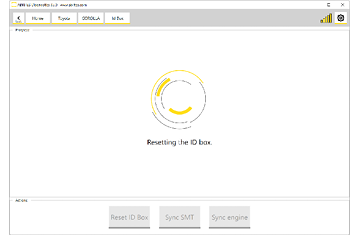
What happens next
A reset ID Code Box is a virgin module, and a virgin module has to be paired with the rest of the immobiliser system before the vehicle will run. Continue in this order:
- Smart System Synchronization – pair the ID Code Box with the Smart System.
- ECU Synchronization – pair it with the engine control unit (about 40 minutes).
Video
Important notes
- A working key for the vehicle is required. If the Smart System was replaced and no working key exists for it, perform key learning first.
- Reconnect the Smart System after the reset, before starting the synchronisation procedures.
- If the reset function is not available for the module in front of you, contact support@abrites.com.
Troubleshooting
| Issue | Likely cause | Solution |
|---|---|---|
| "Reset" does nothing | LIN connection not established | Re-check the CB012/CB031 wiring on the Connections page |
| Procedure refuses to start | No working key present | Perform key learning first, then repeat the reset |
| Vehicle will not start after reset | Synchronisation not yet performed | Run Smart System Synchronization, then ECU Synchronization |
| Module not supported | Variant outside the covered range | Contact support@abrites.com |