The Toyota key learning procedure is user-friendly and fully guided. When the Key Learning special function is selected, it is essential to follow all on-screen instructions exactly as they are displayed — following the prompts in the correct order is required for the procedure to complete successfully.
Supported operations: both spare key programming and all keys lost. Coverage applies regardless of market — US, European, UK and Asian versions are all supported. Smart system reset is not needed, and no connection to Toyota servers is required.
Required equipment
- Abrites AVDI interface
- Abrites OBDII cable (SAE J1962) – CB106
- Abrites ProTag programmer
- A transponder emulator matching the vehicle's key type:
- CB012 – required for the latest models, see Additional Connections
- CB031 – extension cable for B9/BA smart systems (recommended)
- A stable power supply connected to the vehicle
Supported models
Toyota
- Corolla 2018+ AA HT-AES
- Camry 2018+ A9 DST-AES
- Highlander 2018+ AA DST-AES
- Mirai 2020+ AA DST-AES
- CH-R 2018+ A9 DST-AES
- Prius 2018+ A9 DST-AES
- Avalon 2018+ AA DST-AES
- RAV4 2018+ AA DST-AES
- Yaris 2020+ (XP210) BA HT-AES
- Yaris Cross 2021+ (XP210) BA HT-AES
- Corolla Facelift 2022+ (E210) BA HT-AES
- Corolla Cross Facelift 2022+ (XG10) BA HT-AES
- Sienna 2020+ (XL40) BA DST-AES
- Harrier/Venza 2020+ (XU80) BA DST-AES
- Tundra 2021+ (XK70) BA DST-AES
- Land Cruiser 2021+ (J300) BA DST-AES
- RAV4 Facelift 2022+ (XA50) BA DST-AES
- Aygo X 2022+
- Yaris GR 2021+
- Prius WX60 2022+
- BZ4X 2022+
- Models 2025+ (BA and B6 selective address) with Tokai Rika / Denso smart systems
Lexus
- Lexus RX DST-AES
- Lexus RXL DST-AES
- Lexus ES DST-AES
- Lexus LS DST-AES
- Lexus UX DST-AES
- Lexus RX 2022+ B9 DST-AES
- Lexus NX 2021+ B9 DST-AES
- Lexus LX 2021+
Step‑by‑step procedure
The procedure runs via OBDII and is the same for any of the available Toyota licences — the only difference is the key transponder type used.
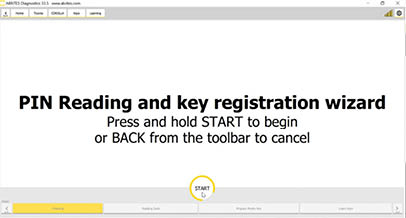
1. Begin the procedure
Press and hold the START button to begin.
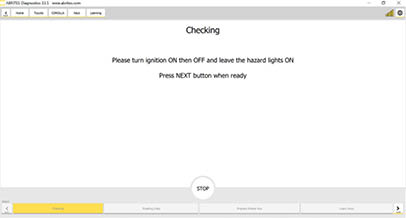
2. Cycle the ignition
Switch IGN ON and then OFF, leaving the hazard lights ON.
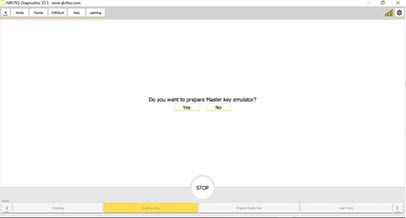
3. Confirm the master key emulator
Confirm whether you want to prepare a Master Key emulator.
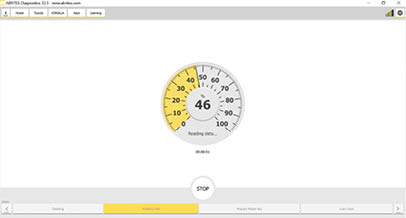
4. Read and modify the data
The software reads and modifies the required data.
5. Insert the emulator
Insert the HT-AES (TA64) key emulator into the ProTag programmer. Use the emulator matching the vehicle's transponder type.
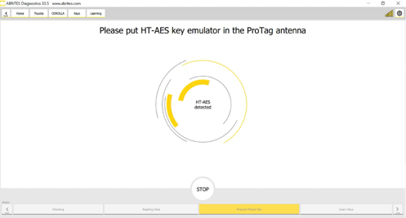
6. Emulator prepared as Master Key
The TA64 is detected and prepared as the Master Key.
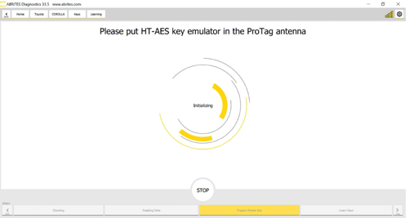
7. Switch ignition on with the emulator
Use the prepared TA64 to switch IGN ON.
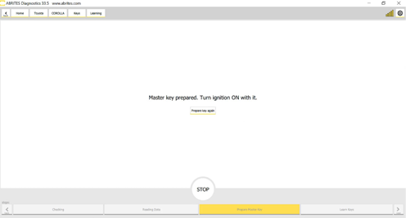
8. Open the driver's door
Leave IGN in the ON position and open the driver's door.
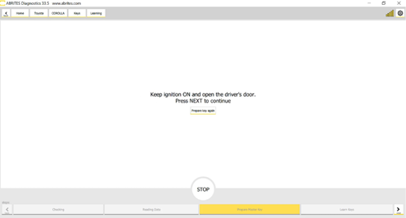
9. Present the emulator
Touch the START button with the TA64.
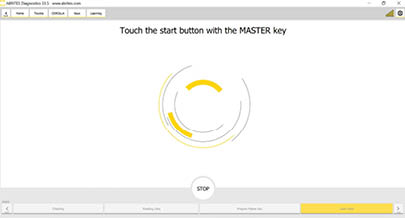
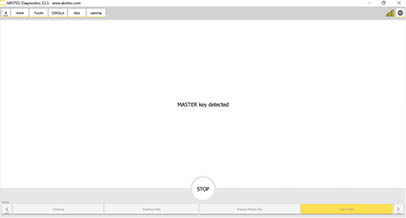
10. Master Key detected
The TA64 is detected as Master Key.
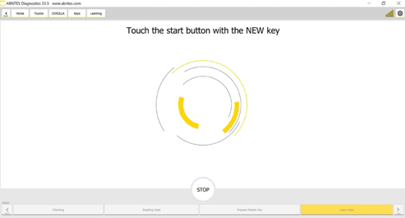
11. Present the new key
Use the new key to touch the START button and learn it.
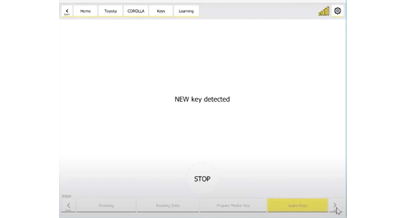
12. New key detected
The new key is detected.
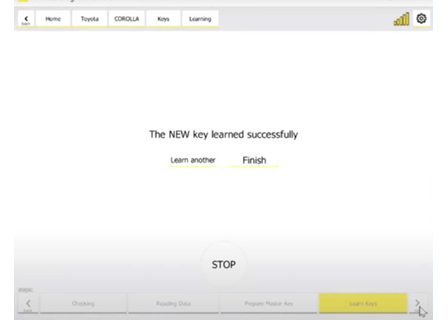
13. Finished
The key is now learned and the procedure has completed successfully.
Important notes
- Follow the on-screen order exactly. The ignition, door and START-button steps are timing-sensitive; performing them out of sequence aborts the procedure.
- Choose the emulator by transponder type — DST-AES or HITAG-AES — not by model year alone.
- Some models need an internal CAN connection; see Additional Connections.
- To remove lost keys from the vehicle's memory, see Deleting keys.
Troubleshooting
| Issue | Likely cause | Solution |
|---|---|---|
| Procedure aborts early | On-screen steps performed out of order | Restart and follow each prompt exactly as displayed |
| Emulator not detected in ProTag | Wrong emulator type for the vehicle | Check whether the vehicle uses DST-AES (TA68) or HT-AES (TA64) |
| Software asks for internal CAN | Model requires the CB012 connection | See Additional Connections |
| New key not learned at step 11 | Key not presented correctly to the START button | Hold the key against the START button as shown and repeat |
| Function unavailable | Licence does not cover this model | The software will indicate which additional licence is required |