Vehicle coverage: Toyota, Lexus and Scion instrument clusters with unlocked S6J3 MCUs.
Required equipment
- Abrites AVDI interface
- For a new-type gateway: an internal CAN connection via CB012 or CB031; vehicles with the old gateway go over OBDII alone
- A backup is created automatically, so the unit can be restored from the drop-down
Connection
- The procedure is executed via OBDII for vehicles with the old type of gateway.
- For vehicles with a new type of gateway you will need an internal CAN connection via CB012 or CB031. A message in the software will let you know if this connection is needed.
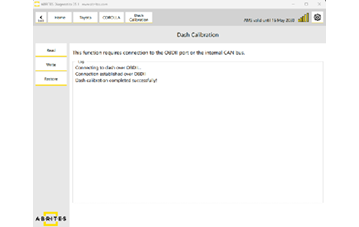
Once the connection is established, you can proceed with the procedure.
Read
Reads the dashboard and displays the current mileage. You can always restore the unit — a backup is created automatically, and you can select the file you need from a drop-down menu.
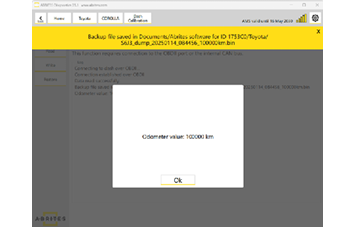
Write
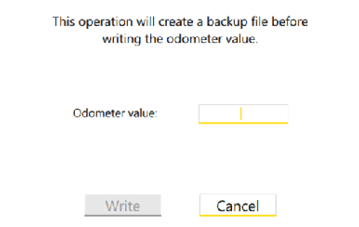
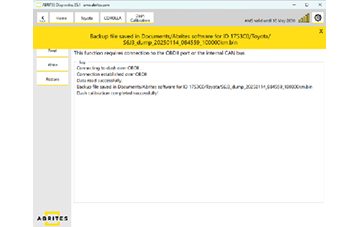
The software re-reads the dashboard and notifies you that a backup file will be created. Once the backup is complete, you can set the new odometer value and write it into the instrument panel.
Restore
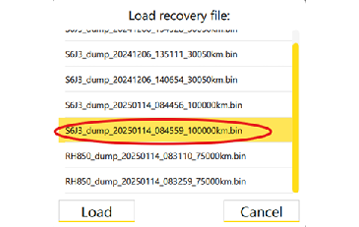
Restores the dashboard using an already read or saved backup file. The software visualizes all created backup files.
Selecting the correct backup file is essential. The backup file's name typically includes the processor type as well as the date and time it was created.
Important notes
- Only unlocked S6J3 MCUs are supported.
- A backup is written on both Read and Write — keep these files, since Restore depends on them.
- Keep a stable power supply connected for the whole session; an interruption during a write leaves the cluster in an indeterminate state.
Troubleshooting
| Issue | Likely cause | Solution |
|---|---|---|
| Software reports that internal CAN is needed | Vehicle has the new type of gateway | Connect CB012 or CB031 to the internal CAN and repeat |
| Cluster does not respond over OBDII | New-type gateway, or poor OBDII contact | Add the internal CAN connection; check the OBDII cable seating |
| Restore offers several similar files | Multiple backups taken | Pick by processor type and the date/time in the file name |
| Write completes but value is wrong | Wrong value entered, or wrong unit selected | Restore the backup and repeat the write with the correct value |