Vehicle coverage: Toyota, Lexus and Scion instrument clusters built around unlocked S6J3 MCUs or RH850 MCUs, using the Abrites Diagnostics for Toyota/Lexus/Scion Online software.
Supported operation:
Calibrating the odometer of a replacement or repaired instrument cluster so it carries the correct value. Every read and write creates a backup first, so the original state of the unit can always be put back.
Required equipment
- Abrites AVDI interface
- Abrites OBDII cable (SAE J1962) – CB106
- Abrites internal CAN cable – CB012 or CB031, needed when an internal CAN connection is required
- Windows PC with the latest Abrites Diagnostics for Toyota/Lexus/Scion Online software
- A stable power supply connected to the vehicle
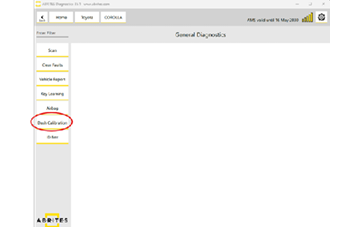
The "Dash Calibration" menu
| Option | What it does |
|---|---|
| Read | Reads the dashboard and displays the current odometer value. A backup file is created during this procedure. |
| Write | Writes the new odometer value. This also creates a backup file before writing. |
| Restore | Puts the original file back on the unit, chosen from a drop-down list of the backups taken earlier. |
Choosing the connection
Calibration runs over OBDII, but some vehicles additionally need a direct internal CAN connection:
- Old-type gateway – OBDII alone is enough.
- New-type gateway – an internal CAN connection via CB012 or CB031 is required. The software displays a message telling you when this is the case, so you do not have to identify the gateway type yourself.
See Connection for the details, then follow the page matching the cluster processor:
- Dashboard Calibration for Instrument Clusters with S6J3 Processors
- Dashboard Calibration for Instrument Clusters with RH850 Processors
Video
Important notes
- Backups are created automatically on both read and write – keep them, as Restore depends on them.
- Only clusters with unlocked S6J3 MCUs, or with RH850 MCUs, are supported by this function.
- Keep a stable supply connected throughout; a drop during a write leaves the cluster in an indeterminate state.