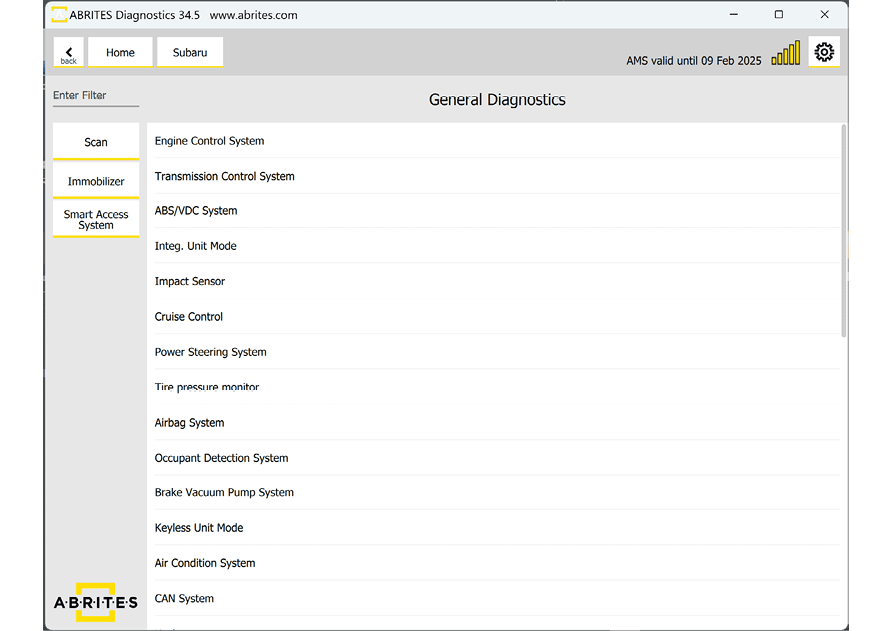
The Abrites software for Subaru covers both mechanical and smart keys. There are 2 general groups:
-
Vehicles equipped with a mechanical key and an immobilizer or a BCM unit
-
Vehicles equipped with a smart key and a smart system
There are 2 special functions found on the main screen on the software, dedicated to these 2 major platforms which are described in dedicated sections below:
-
Immobilizer
-
Smart Access System
The three scenarios for key learning, divided by platform
| Platform | Additional key | All keys lost |
|---|---|---|
| 4.1 Mechanical key and immobilizer | Immobilizer > Key Registration | Immobilizer Reset first, then Key Registration |
| 4.2 Mechanical key and BCM | Immobilizer > Key Registration | All Keys Lost with TA41 + ProTag, or ZN066, then Key Registration |
| 4.3 Smart key and smart system | Smart Access System > Key Registration | Smart Access System reset first, then Key Registration |
Following are the general guidelines for executing key learning procedures in Subaru vehicles. Each procedure is described in details in a dedicated section of this user manual
Here are the 3 scenarios for key learning divided by platforms:
Required equipment
- Abrites AVDI interface - all procedures run over OBDII
- For all keys lost on a BCM vehicle: TA41 with a ProTag programmer, or a ZN066 adapter
- For vehicles from 2023 onwards: the CB012 internal CAN cable - see Key Learning internal CAN
Important notes
- Check the key count before you start. Vehicles accept 4 keys with a mechanical key and immobilizer or BCM, and 8 keys on a smart system. If the maximum is reached you must erase keys first.
- Every procedure is guided by on-screen messages, and several are timed - read the prompts before acting.
- ECM registration is required after key programming. On some vehicles it runs automatically; on others you must run it yourself.