The latest software version of Toyota Online introduces diagnostic procedures alongside the special functions.
Required equipment
- Abrites AVDI interface
- An external power source on the vehicle - the diagnostic session runs long enough that a flat battery part-way through is a real risk
Before starting
When starting the software it is recommended to have the vehicle connected to an external power source, so that the vehicle does not lose power during the time spent working on it.
Step‑by‑step procedure
1. Select the vehicle
When the software is started, the vehicle can be selected. The software then checks whether the selection is correct and makes a suggestion for the correct vehicle.
2. Open General Diagnostics
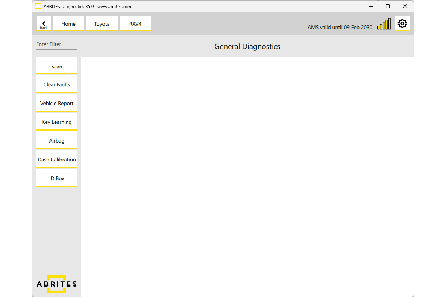
The General Diagnostics screen is displayed.
3. Scan
Select the "Scan" button to start the diagnostic scan. The scan also displays the list of modules found in the vehicle.
In this section
- General Diagnostics – read/clear DTCs – reading, detailing, saving and clearing fault codes.
- Live Values Monitoring – watching measured values from a module.
Important notes
- Accept the software's vehicle suggestion unless you are certain the original selection was right — module coverage depends on it.
- Keep the external supply connected for the whole session, not just for long procedures.