This procedure is dedicated to vehicles with a smart key and a smart access system. This function is used when you have a working key and you would like to add another one to the existing key count.
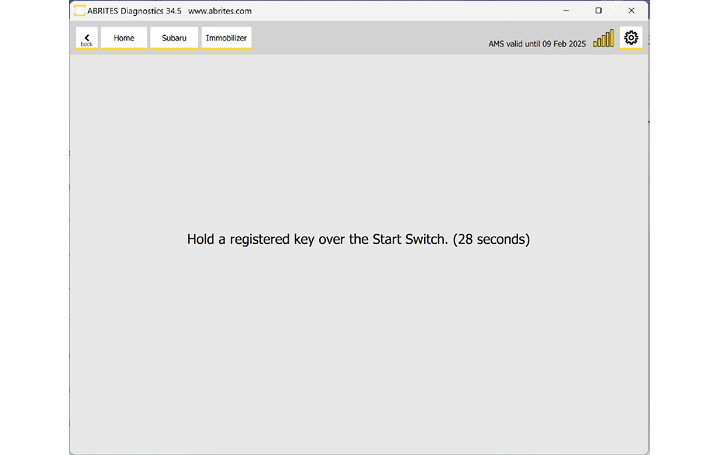
It is very important that you follow the on-screen messages, as there is a certain period of time (30 seconds) for executing actions like touching the key to the start button.
Required equipment
| Licence | SB004 — Alarm OFF and Key Learning for Subaru Vehicles (MY 2021-2026) |
- Abrites AVDI interface connected over OBDII
- Abrites Diagnostics for Subaru software
- A working smart key, plus the new key(s) to be programmed
Step-by-step procedure
1. Check the key count
Confirm the vehicle has not reached its 8-key limit - see Registered Key Count.
2. Start the procedure
You can start this procedure from the "Smart Access System" button on the main screen and by selecting "Key Registration". The procedure is guided; instructions will guide you throughout the key programming process.
3. Confirm
Once "Key Registration" is selected you will be prompted to select if you wish to start the procedure, and you have to confirm by clicking "yes".
4. Present the existing key
You will be asked to hold the existing key of the vehicle over the start button - which means you will have to hold the key by the start button of the vehicle. Do not turn ignition on, just hold the key. Make sure you follow the instructions on the screen and keep in mind the time limit.
5. Present each new key
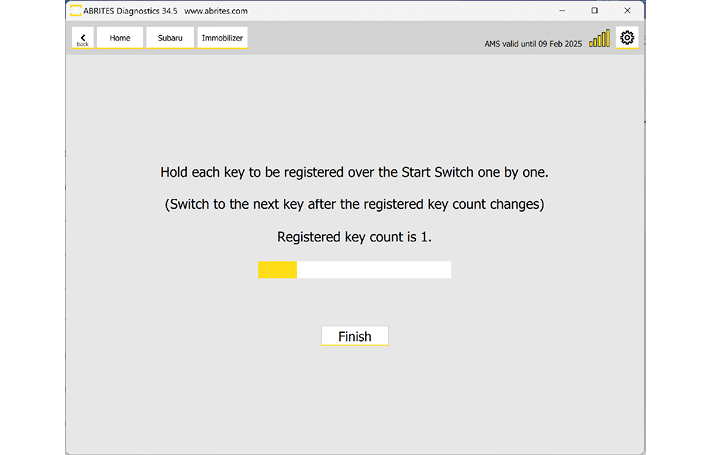
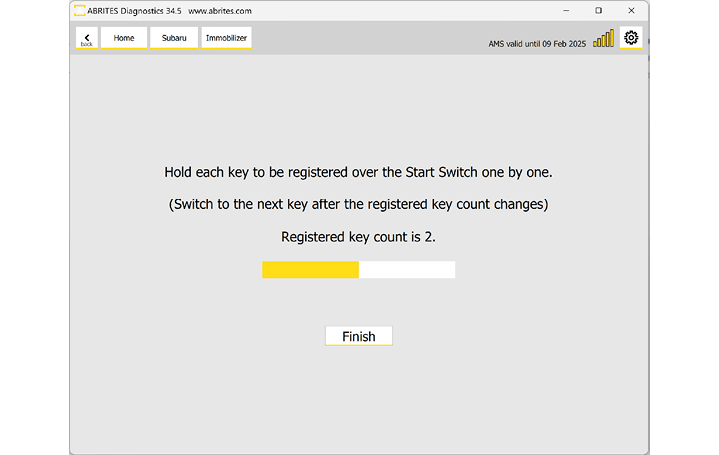
After the registered key is recognized, the software will ask you to hold each new key you want to program over the start button. It takes a few seconds and the count will change as in the pictures - from 1 to 2. At that point you can hold another key or finish the procedure.
Important notes
- 30 seconds per prompted action. Have every key to be programmed in reach before starting.
- Watch the count on screen - it is the confirmation that a key was actually taken.
- Run Engine ECM registration afterwards if it does not start automatically.
Troubleshooting
| Issue | Likely cause | Solution |
|---|---|---|
| The existing key is not recognised | Held too far from the start button, or the ignition was turned on | Hold it against the button without pressing it |
| The count does not increase | The new key was not read within the window | Repeat, holding the key steadily against the start button |
| Registration is refused | The vehicle is at its 8-key maximum | Erase keys first, then register |